
티스토리 뷰
목차
반응형
📔 오늘 할 일 📔
1. 와이어프레임 보고 뷰 그리기
2. 지도.. 현재 위치 가지고 오는 거 공부하기
📖 오늘 배운 개념 📖
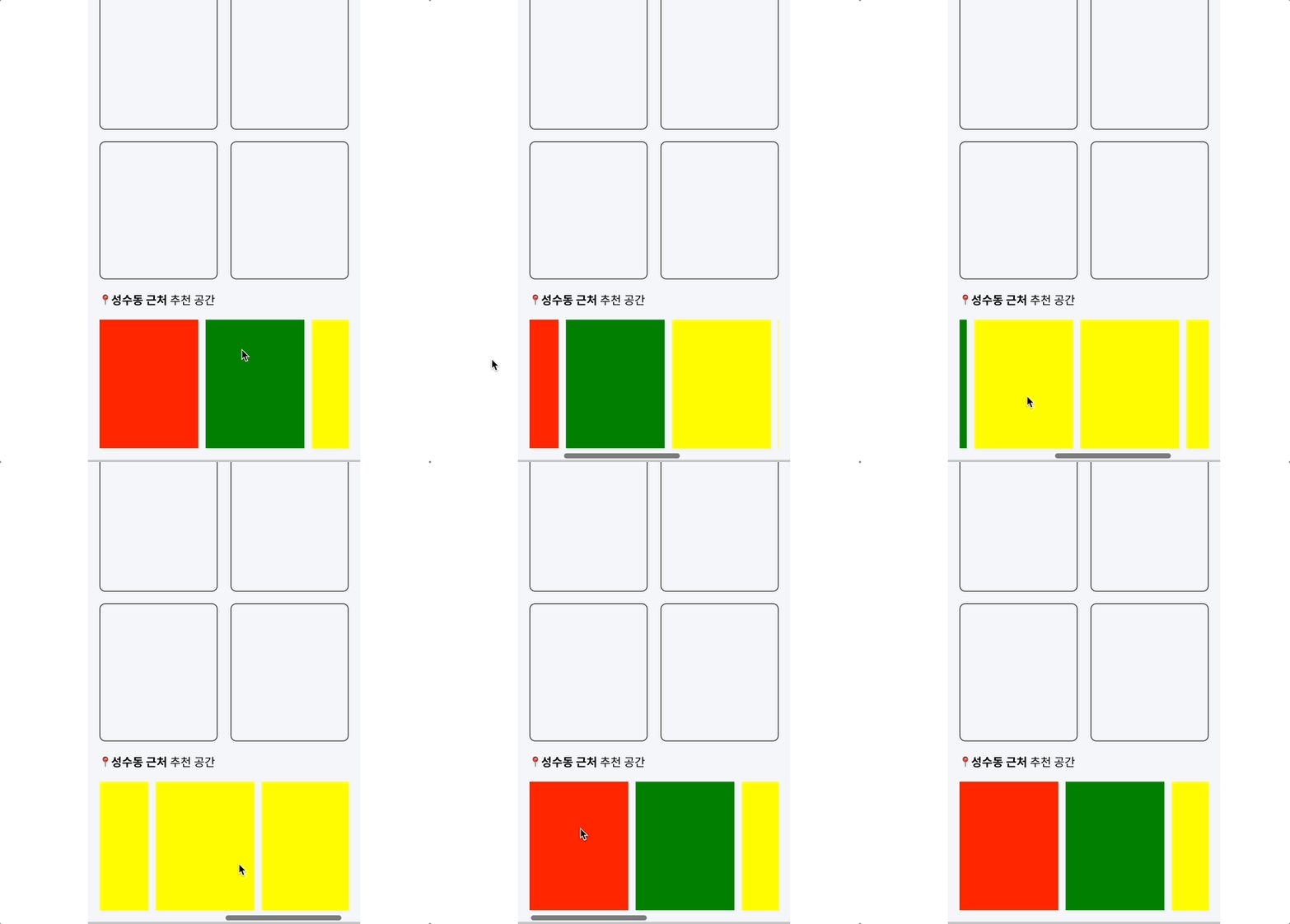
오늘은 저 끌어서 넘기는 것을 해보았다..
코드는 공부가 필요하지만,,,어찌저찌 성공했다.ㅋㅋㅋㅋㅋ
이렇게 드레그 함수컴포넌트를 만들어줬다.
import React from "react";
import styled from "styled-components";

const XScrollDrag = ({ children, ...props }) => {
  const [isDrag, setIsDrag] = React.useState(false);
  const [startX, setStartX] = React.useState();

  const scrollRef = React.useRef(null);

  const onDragStart = (e) => {
    e.preventDefault();
    setIsDrag(true);
    setStartX(e.pageX + scrollRef.current.scrollLeft);
    // e.pageX : 문서의 왼쪽상단을 기준으로 마우스 위치의 X좌표 값
    // scrollRef.current.scrollLeft : 수평 스크롤바의 위치값
  };

  const onDragEnd = () => {
    setIsDrag(false);
  };

  const onDragMove = (e) => {
    if (isDrag) {
      scrollRef.current.scrollLeft = startX - e.pageX;
      // 실질적으로 움직여주는 부분
    }
  };
  const throttle = (func, ms) => {
    let throttled = false;
    return (...args) => {
      if (!throttled) {
        throttled = true;
        setTimeout(() => {
          func(...args);
          throttled = false;
        }, ms);
      }
    };
  };

  const delay = 30;
  const onThrottleDragMove = throttle(onDragMove, delay);

  const onwheel = (event) => {
    scrollRef.current.scrollLeft += event.deltaY;
    event.preventDefault(); // 링크나 폼 전송과 같은 기본 동작을 방지
  };

  React.useEffect(() => {
    scrollRef.current.addEventListener("wheel", onwheel, { passive: false });
  }, []);

  return (
    <CategoryBox
      ref={scrollRef}
      onMouseDown={onDragStart}
      onMouseUp={onDragEnd}
      onMouseMove={isDrag ? onThrottleDragMove : null}
      onMouseLeave={onDragEnd}
      style={{ ...props }}
    >
      {children}
    </CategoryBox>
  );
};

const CategoryBox = styled.div`
  display: flex;
  align-items: center;
  flex-wrap: nowrap; // 넘쳐도 줄바꿈 X, white-space: no-wrap과 같은 효과
  overflow-x: scroll; // x축 넘치면 스크롤 생성
`;

export default XScrollDrag;
이걸 실제로 이 컴포넌트에 적용시켜주었다!!!!
import React from 'react';
import styled from 'styled-components';
import {Grid,Text} from '../../elements/index';
import XScrollDrag from '../XScrollDrag';

const PlaceList = () => {


    return (
        <React.Fragment>

            <Grid overflow="hidden" width="100%">
            <XScrollDrag>
                <FlexBox  >
                    <Grid width="136px" height="177px" bg="red"></Grid>
                    <Grid width="136px" height="177px" bg="green"></Grid>
                    <Grid width="136px" height="177px" bg="yellow"></Grid>
                    <Grid width="136px" height="177px" bg="yellow"></Grid>
                    <Grid width="136px" height="177px" bg="yellow"></Grid>
                </FlexBox>
                </XScrollDrag>
            </Grid>

        </React.Fragment>
    );
};
const FlexBox=styled.div`
 width:1000px;
 display:flex;
 margin: 16px 0;
 gap:10px;

`;
export default PlaceList;
😊 주절주저리 😊
오늘은 탈주 하고 싶었다...!!!
그래도 꾹 참고 ...열심히 뷰작업도 했다!!
내일도 열심히 긍정적인 마음으로 작업하자 !!!
✅ 내일 할 일 ✅
1. 지도 api 공부하기 !
728x90
반응형
'TIL > 2022 TIL' 카테고리의 다른 글
| [항해99 55일차] 2022.04.30 TIL (지도 모듈 파일) (0) | 2022.04.30 |
|---|---|
| [항해99 54일차] 2022.04.29 TIL (Debounce 와 Throttle) (0) | 2022.04.30 |
| [항해99 52일차] 2022.04.27 TIL (와이어 프레임 작성, 카카오 지도 ) (0) | 2022.04.28 |
| [항해99 51일차] 2022.04.26 TIL (기획은 너무 어려워 ) (0) | 2022.04.27 |
| [항해99 50일차] 2022.04.25 TIL (리액트로 카카오 지도 가져오기, 환경변수 설정) (0) | 2022.04.25 |