
티스토리 뷰
목차
반응형
📔 오늘 할 일 📔
1. 와이어프레임 작성
2. 카카오 지도 api 내 위치 마커로 나타내기
📖 오늘 배운 📖
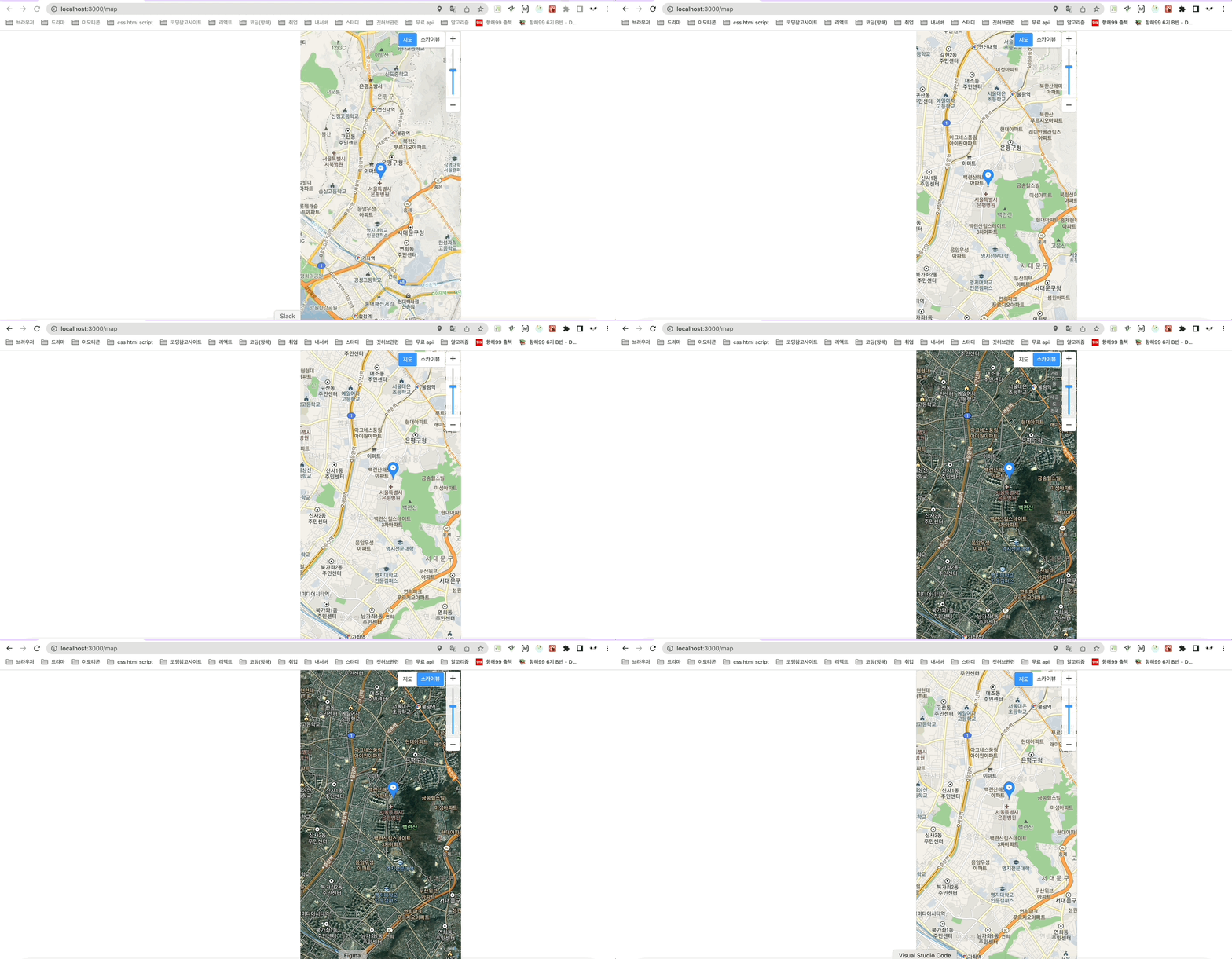
오늘은 +버튼 클릭하면 지도 확대되고 ,,
현재 내 위치에 마커를 표시해주는 걸 연습해봤다. ㅎㅎㅎㅎㅎ
혼자할때에는 막막했는데 ㅎㅎㅌㅅ님과 함께 하니까 재미있고, 금방 해결했다 !!!
우선 해당 라이브러리 설치 !!
yarn add react-kakao-maps-sdk메인 지도가 있는 js코드
import React, { useEffect, useState } from 'react'
import styled from "styled-components"
import { Map, MapMarker,ZoomControl,MapTypeControl } from "react-kakao-maps-sdk"

const MainMap = (props)=> {

  const { kakao } = window;

  const [state, setState] = useState({
      center: {
        lat: 33.450701,
        lng: 126.570667,
      },
      errMsg: null,
      isLoading: true,
  })
  // const [draggable, setDraggable] = useState(true)
  // const [zoomable, setZoomable] = useState(false)

  useEffect(() => {
    if (navigator.geolocation) {
      navigator.geolocation.getCurrentPosition(
        (position) => {
          setState((prev) => ({
            ...prev,
            center: {
              lat: position.coords.latitude, // 위도
              lng: position.coords.longitude, // 경도
            },
            isLoading: false,
          }))
        },
        (err) => {
          setState((prev) => ({
            ...prev,
            errMsg: err.message,
            isLoading: false,
          }))
        }
      )
    } else {
      setState((prev) => ({
        ...prev,
        errMsg: "현재 위치를 표시할 수 없어요.",
        isLoading: false,
      }))
    }
  }, [])

  const sendLoca = () => {
    const loca=state.center
    props.defaultLoca(loca)
  }

  return (
    <React.Fragment>
    <MainContent>
      <Map center={state.center} onCreate={sendLoca} style={{width: "100%", height: "inherit"}}
        level={3}
        // draggable={draggable} zoomable={zoomable}
        >
        {!state.isLoading && (
          <MapMarker position={state.center}></MapMarker>
        )}
          <ZoomControl position={kakao.maps.ControlPosition.TOPRIGHT} />
          <MapTypeControl position={kakao.maps.ControlPosition.TOPRIGHT}/>
      </Map>

    </MainContent>
    </React.Fragment>
  )
}

export default MainMap

const MainContent = styled.div`
  height: inherit;
`
메인 지도가 들어갈 페이지 js
import React,{useState} from 'react';
import {Location} from '../components/home'

function SaleMap(props) {
    const [nowLoca,setNowLoca] = useState();
    const receiveLoca = (Loca) => {
        setNowLoca(Loca)
    }
  return (
    <React.Fragment>
        <Location defaultLoca={receiveLoca}/>
    </React.Fragment>
  );
}

export default SaleMap;
리덕스 모듈 js
import { createAction, handleActions } from "redux-actions";
import { produce } from "immer";

const SET_PATH = "SET_PATH";

const setPath = createAction(SET_PATH, (path)=> ({path}));

const initialState = {
    polylinePath: []
}

export default handleActions ({
    [SET_PATH]: (state, action) =>
    produce(state, (draft) => {
        draft.polylinePath.push(action.payload.path)
    }),
},
initialState
);

const actionCreators = {
    setPath
}

export {actionCreators}
음 모듈 코드는.. 길을 그어주는 코드 같달까?ㅋㅋㅋㅋㅋ
일단 위의 코드를 넣으니까 화면처럼 지도가 잘나왔당 !!! 성공 !
😊 주절주저리 😊
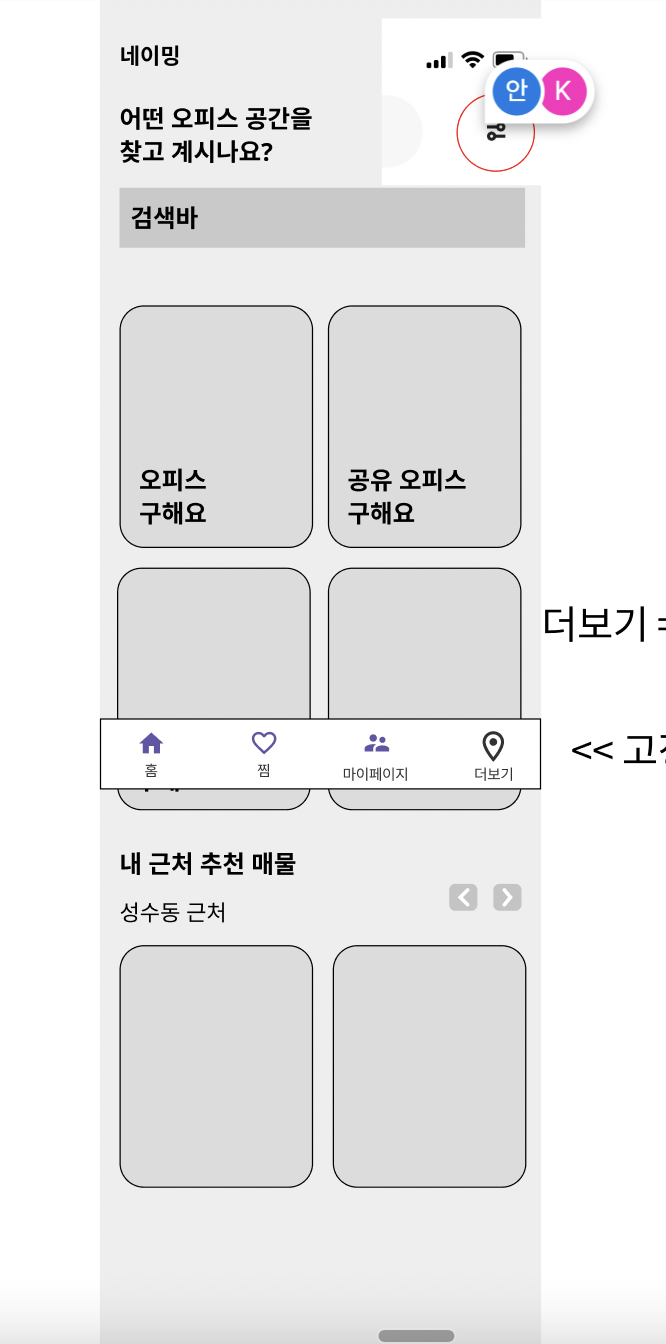
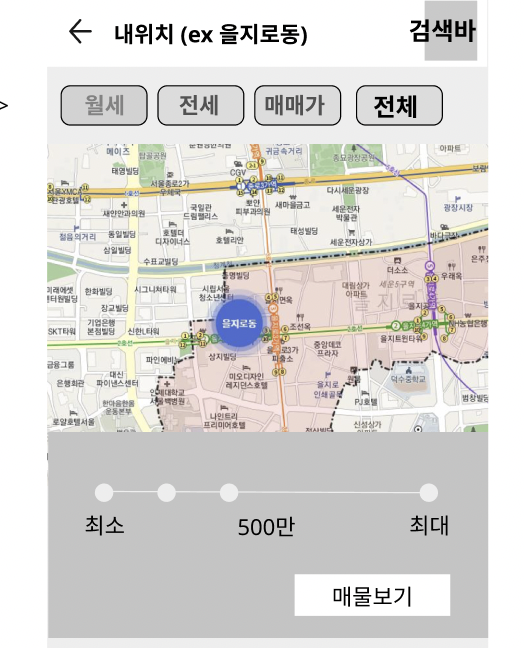
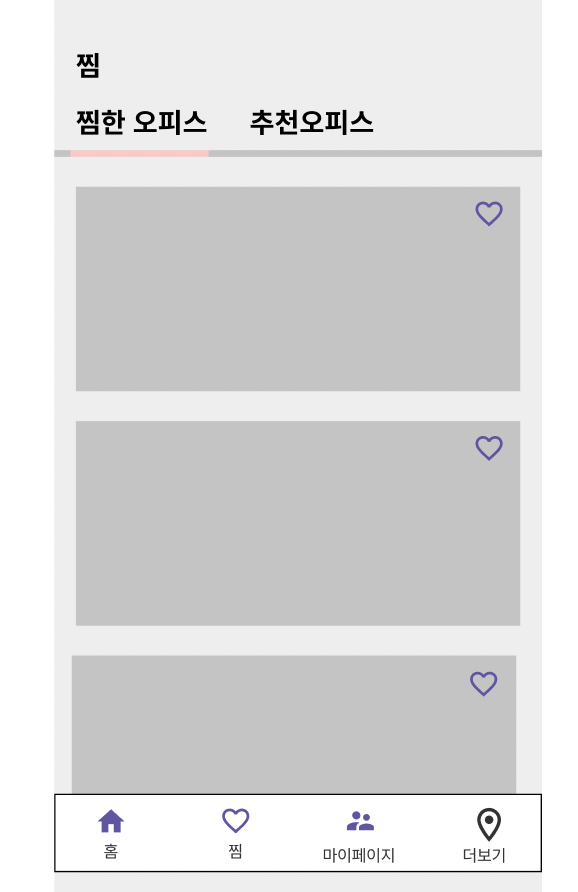
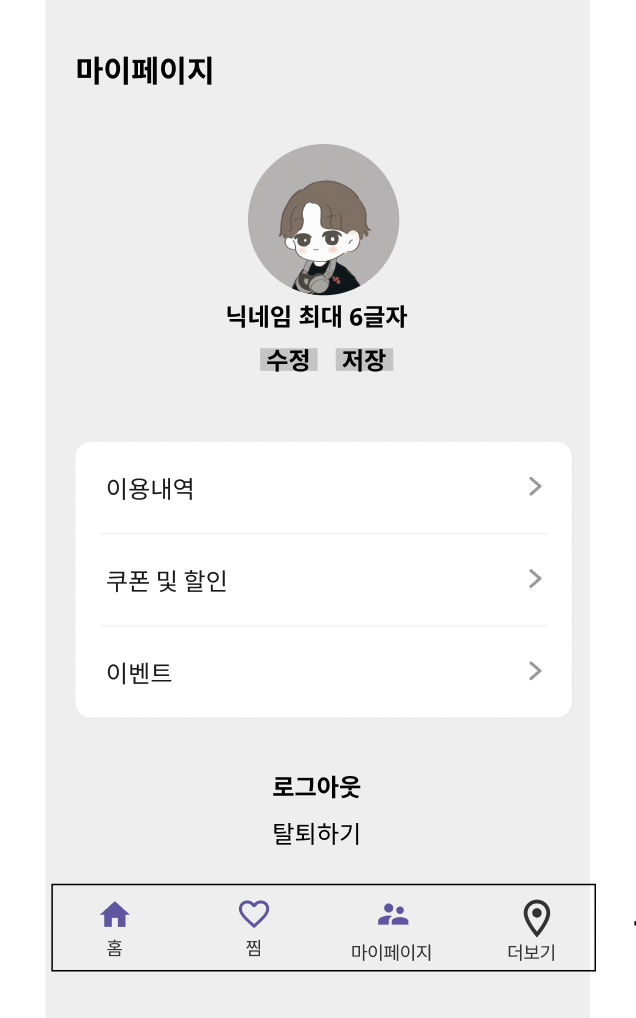
우선 오늘 디자이너 분들이 ㅜ.ㅜ 와이어프레임 안해주셔서 내가 모바일 웹 기준으로 와이어프레임을
피그마로 작성해보았다 !!! 이대로 뷰 작업 하고 싶었는데 ..ㅋㅋㅋ
와이어프레임 바뀔거같다고 말씀해주셔서 뷰작업은 중단하고,, 그냥 카카오 지도 api 를 공부했다.
진짜 6시까지 뻘짓한 느낌이다.ㅠ__ㅠ 열심히 와이어프레임 그렸는데 ... ㅠㅠㅠㅠㅠㅠㅠ
너무...와이어프레임이 안나와서 뷰를 못그리는 중이다 ㅋㅋㅋ...멘붕..
이렇게 아까운 일주일이 지나가고 있다.ㅠㅠ
디자이너분들과 소통은 참 어렵고도 힘든 것 같다.......흑흑흑
✅ 내일 할 일 ✅
1. 지도 나머지 공부 !!
2. 메인 뷰 그리고 싶다 제발
728x90
반응형
'TIL > 2022 TIL' 카테고리의 다른 글
| [항해99 54일차] 2022.04.29 TIL (Debounce 와 Throttle) (0) | 2022.04.30 |
|---|---|
| [항해99 53일차] 2022.04.28 TIL (리액트 스와이프 기능) (0) | 2022.04.29 |
| [항해99 51일차] 2022.04.26 TIL (기획은 너무 어려워 ) (0) | 2022.04.27 |
| [항해99 50일차] 2022.04.25 TIL (리액트로 카카오 지도 가져오기, 환경변수 설정) (0) | 2022.04.25 |
| [항해99 48일차] 2022.04.23 TIL (기획 및 리덕스 툴킷) (0) | 2022.04.23 |