
티스토리 뷰
목차
반응형
타!입!스크립트!
한번쯤 써보고 싶었다.
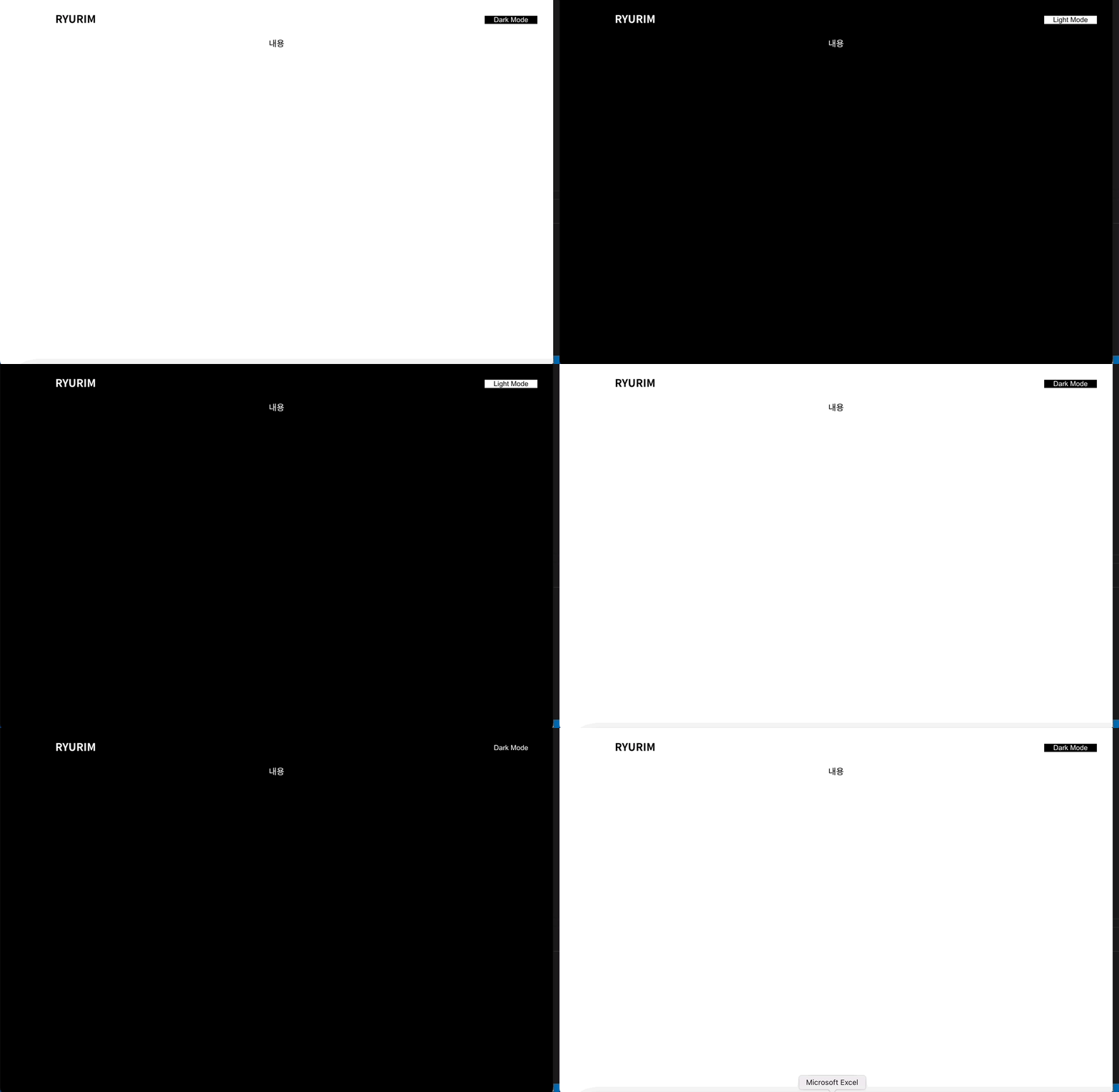
우선 타입스크립트 설치
yarn create react-app "앱이름" --template typescript리액트 앱을 생성할 때 같이 깔아주거나
혹은 만들어진 리액트앱에 타입스크립트를 추가할 때는 터미널에 이 명령어를 입력해주면 된다.
npm install --save typescript @types/node @types/react @types/react-dom @types/jestyarn add typescript @types/node @types/react @types/react-dom @types/jest
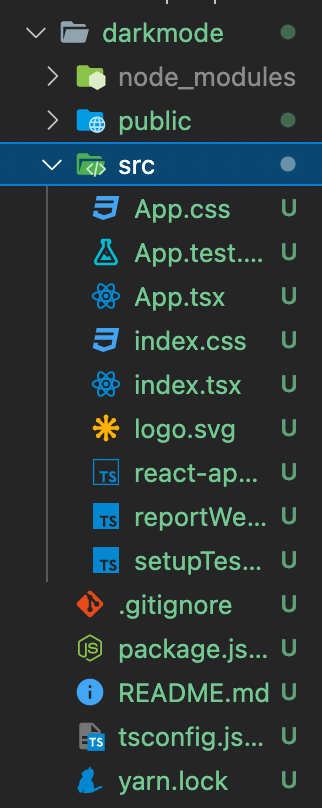
그런 다음 이렇게 타입스크립트로 설정된 채 리액트 앱이 만들어진 것을 볼 수 있다.
yarn add @types/styled-components
yarn add styled-components
스타일드 컴포넌트를 설치해준다.
이제 글로벌 스타일을 지정한다.
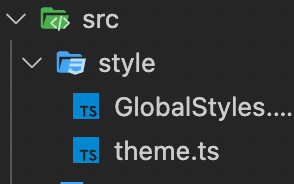
나는 src 안에 style안에 GlobalStyles.ts
theme.ts를 만들어주었다.
GlobalStyles.ts
import { createGlobalStyle } from "styled-components";

export const GlobalStyle = createGlobalStyle`
    * {
        margin: 0;
        padding: 0;
        box-sizing: border-box;
    }
    body,html{
      font-size:16px;
    }
    body {
        background: ${({ theme }: { theme: any }) => theme.bgColor};
        margin: 0;
        padding: 0;
        transition: all 0.25s linear;
        color: ${({ theme }: { theme: any }) => theme.textColor};
        box-sizing: border-box;
        font-family: 'Noto Sans KR', sans-serif;

    }
    button {
        cursor: pointer;
        border: none;
        outline: none;
        color: ${({ theme }: { theme: any }) => theme.bgColor};
        background-color: ${({ theme }: { theme: any }) => theme.textColor};
    }
`;

export default GlobalStyle;
이렇게 theme:any로 타입을 지정해준다.
이거 지정하지 않으면 오류난다 ㅠㅠ
theme.ts
export const lightTheme = {
  bgColor: "#ffffff",
  textColor: "#000000",
  toggleBorder: "#FFF",
  gradient: "linear-gradient(#39598A, #79D7ED)",
};

export const darkTheme = {
  bgColor: "#060606",
  textColor: "#FFFFFF",
  toggleBorder: "#6B8096",
  gradient: "linear-gradient(#091236, #1E215D)",
};

export const theme = {
  lightTheme,
  darkTheme,
};

export default theme;
이렇게 지정해주고,
styled.d.ts파일을 하나 생성해서 위의 타입을 지정해준다.
styled.d.ts
import "styled-components";

declare module "styled-components" {
  export interface DefaultTheme {
    bgColor: string;
    textColor: string;
    toggleBorder: string;
    gradient: string;
  }
}
app.tsx
import React, { useState } from "react";
import Home from "./Home";
import { ThemeProvider } from "styled-components";
import { lightTheme, darkTheme } from "./style/theme";
import GlobalStyle from "./style/GlobalStyles";
import styled from "styled-components";

function App() {
  const [theme, setTheme] = useState("light");

  const isLight = theme === "light";

  const toggleTheme = () => {
    if (theme === "light") {
      setTheme("dark");
    } else {
      setTheme("light");
    }
  };
  return (
    <React.Fragment>
      <ThemeProvider theme={theme === "light" ? lightTheme : darkTheme}>
        <GlobalStyle />
        <Home />

        <Btn onClick={toggleTheme}>{isLight ? "Dark Mode" : "Light Mode"}</Btn>
      </ThemeProvider>
    </React.Fragment>
  );
}
const Btn = styled.button`
  width: 100px;
  position: fixed;
  top: 30px;
  right: 30px;
`;
export default App;
Home.tsx
import React from "react";
import styled from "styled-components";

const Home = () => {
  return (
    <React.Fragment>
      <Header>
        <div>
          <H1>RYURIM</H1>
        </div>
      </Header>
      <Section>내용</Section>
    </React.Fragment>
  );
};
const Header = styled.header`
  width: 100%;
  height: 70px;
  box-shadow: 0px -2px 50px rgba(0, 0, 0, 0.05);
  box-sizing: border-box;
  display: flex;
  align-items: center;
  justify-content: center;
  position: fixed;
  top: 0;

  & > div {
    width: 80%;
    display: flex;
    align-items: center;
    justify-content: space-between;
  }
  & > button {
    width: 100px;
  }
`;
const H1 = styled.h1`
  font-size: 1.25rem;
`;
const Section = styled.div`
  width: 100%;
  height: 600px;
  position: relative;
  text-align: center;
  top: 70px;
`;
export default Home;
props로 타입을 지정해서 내려주는 게 꽤나 어려웠다..
그래서 버튼을 그냥 app.tsx에 넣었다..
원래는 Home 컴포넌트에 넣으려고 했는데 ㅠㅠㅠㅠㅠ
prop를 내려주는 것을 연습해야겠다 !!
728x90
반응형
'TIL > 2022 TIL' 카테고리의 다른 글
| 22.06.27 TIL Call Stack (1) | 2022.06.27 |
|---|---|
| 2022.06.23 TIL 리액트 18버전 (1) | 2022.06.23 |
| 2022.06.20 TIL 스레드란 (1) | 2022.06.21 |
| 2022.06.16 TIL ( 웹팩이란 ) (1) | 2022.06.16 |
| 2022.06.14 TIL ( 이벤트 전파 ) (1) | 2022.06.14 |