
티스토리 뷰
목차
반응형
오랜만에 TIL .. 🧗♀️
다시 초심으로 돌아가서 열심히 기록해야지 ! ☃️
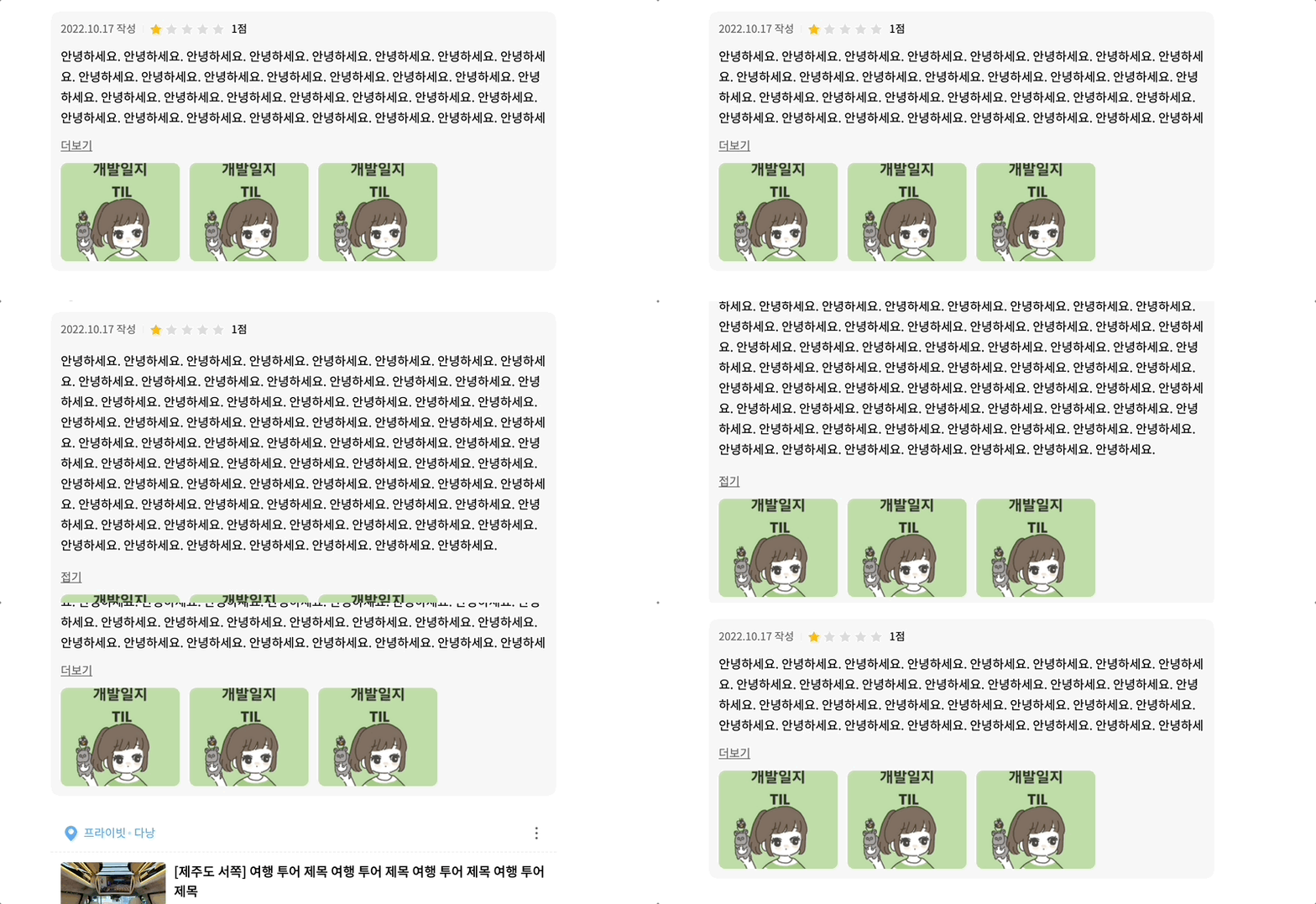
더보기와 접기 기능은 의외로 간단했다!
import styled from 'styled-components'; //styled 컴포넌트 임포트

// 1. text wrap을 하나 생성해줍니다.

const textRef = useRef(null); //실제 text의 높이를 계산하기 위한 ref
const [isMoreView, setIsMoreView] = useState(false); // 더보기 버튼의 여부
const [isShowText, setIsShowText] = useState(false); // 내용이 더 보여지고, 접기 버튼의 여부

//만약 높이가 100px이상이라면, 더보기 버튼 보여주기
useEffect(() => {
		const contentHeight = textRef.current.clientHeight;
		if (contentHeight > 100) {
			setIsMoreView(true);
		} else {
			setIsMoreView(false);
		}
}, []);

//더보기 접기 버튼 클릭
	const onClickMoreDesc = () => {
		setIsShowText((s) => !s);
	};

<TextBox>
 <TextInner isShow={isShowText} maxHeight={`${textHeight}px`}>
 	<Text ref={textRef}>{text}</Text>
 </TextInner>
  {isMoreView ? (
    <MoreButton onClick={onClickMoreDesc}>
     {isShowText ? '접기' : '더보기'}
    </MoreButton>
	) : null}
</TextBox>

const TextBox = styled.div`
	width: 100%;
	height: auto;
	min-height: 54px;
	position: relative;
	box-sizing: border-box;
`;
const TextInner = styled.div<{ isShow: boolean; maxHeight: string }>`
	width: 100%;
	max-height: ${({ maxHeight }) => maxHeight};
	position: relative;
	white-space: pre-wrap;
	overflow: hidden;
	${({ isShow }) =>
		isShow &&
		`
		max-height: none;
		overflow: hidden;
		-webkit-line-clamp: unset;
		-ms-overflow-style: none;
		padding: 5px 0;
		box-sizing: border-box;
		::-webkit-scrollbar {
			display: none;
		}`}
`;
const Text = styled.p`
	width: 100%;
	font-size: 15px;
	line-height: 25px;
	position: relative;
	display: -webkit-box;
	white-space: pre-wrap;
	word-break: break-all;

	@media (max-width: 1199px) {
		font-size: 14px;
		line-height: 22px;
	}
`;
const MoreButton = styled.button`
	width: auto;
	height: 22px;
	margin-top: 10px;
	text-decoration-line: underline;
	color: #6a6a6a;
	font-size: 14px;
	line-height: 22px;
	@media (max-width: 1199px) {
		font-size: 13px;
	}
`;
끝이다 !
중요한건 실제 텍스트가 담길 p태그에는 max-height가 없어야 실제 높이를 잘 가져온다.
p태그 부모태그에 max-height를 주어 overflow: hidden을 통해 감추고 있다가 더보기 버튼을 클릭하면 순간 max-height를 없애 내용물을 보여주는 스타일로 많은 것을 해결할 수 있는 기능이다.
728x90
반응형
'TIL' 카테고리의 다른 글
| 상단에 닿았을 때 헤더 색 투명, 스크롤 내리면 헤더색 흰색으로 (feat. react custom hook) (0) | 2023.07.04 |
|---|---|
| [NextJS] styled-components Prop `className` did not match. (0) | 2023.04.26 |